chat-application-322
-
chat-application-322
-
 .vscode
-
client
-
documentation
-
 .gitignore
-
Database.js
-
GPT4All.js
-
README.md
-
SessionManager.js
-
cpen322-tester.js
-
initUsers.mongo
-
initdb.mongo
-
models3.json
-
package.json
-
server.js
README.md
Assignment 6 - AI Chat Moderation
Authors
- Maddy Paulson - 36440824
- Leonardo Kamino Barros - 96262514
Dependency Information
| Package | Version |
|---|---|
| node.js | 21.6.0 |
| nvm | 0.39.7 |
| ExpressJS | 4.17.1 |
| gpt4all | 4.0.0 |
| mongodb | 6.3.0 |
| ws | 8.16.0 |
1.0 Install Dependencies
- Install NVM by following the instructions on the NVM Github page: https://github.com/nvm-sh/nvm
- Install node.js by running
nvm install nodein a cmd prompt within the project directory - Install required dependencies by running
npm installwithin the project directory as shown below. This installs ExpressJS, gpt4all, mongodb, and ws according to the versions listed above.
madel@DESKTOP-DCCFG16 MINGW64 /c/dev/cpen322/project-grandiose-snake (master)
$ npm install
2.0 Database Initialization
- Install mongodb on your local machine from the following website: https://www.mongodb.com/try/download/community
- Open a command prompt and type
mongodto start the mogodb database which is the database used for the application. - To start with the database initialized, open a mongo shell by typing
mongoshin another cmd prompt window. The mongosh shell should saycpen322-messenger>if it is connected to the database correctly. - Type
load("initdb.mongo")to initialize the database. - Then type
load("initUsers.mongo")to initialize 2 user profiles in the database.
3.0 Run The Code
- In a terminal of your choice type
node server.jsor the corresponding command to start the server (example shown in bash terminal). - On start, it checks if the LLM model is present, if not, it downloads the model
mistral-7b-openorca.gguf2.Q4_0.ggufinto a.cachefolder in your machine for the implementation of our AI feature. More information is provided in the design implementation.- No extra setup is required to run the model; just make sure the download is successful, and the server is started without errors.
madel@DESKTOP-DCCFG16 MINGW64 /c/dev/cpen322/project-grandiose-snake (master)
$ node server.js
- Navigate to http://localhost:3000 to see the chat application, you should be directed to login page of the application
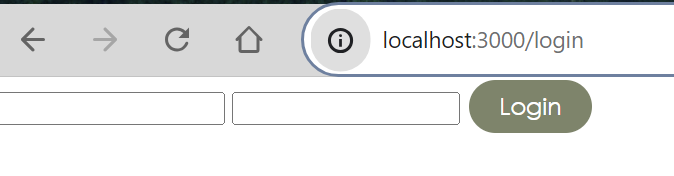
- Login using either of the two user profiles initialized:
- Username: alice, Password: secret
- Username: bob, Password: password
- Use the chat application as desired, any inappropriate messages result in a popup warning with a brief explanation of the reason the message was removed and after 3 warnings the user will be restricted from sending mesages to any chatrooms.